Better Together

|
Better Together with Microsoft Dynamics CRM
Enhance the power and effectiveness of Microsoft Dynamics CRM business software with Microsoft products and technologies that work even better, together.
Microsoft makes significant investments in delivering products and technologies that work together and enable people-ready businesses. This vision is centered on providing the right tools to help people realize their potential. Microsoft Dynamics CRM business software achieves this goal by bringing Customer Relationship Management (CRM) together with versatile Microsoft® products and technologies to provide you with a wide choice of capabilities to enhance your business.
Microsoft Dynamics CRM gives you the applications and capabilities you need to easily create and maintain a clear view of customer interactions from first contact through purchase and post-sales. With tools to enhance your company’s marketing, sales, and customer service processes, along with native Microsoft Office Outlook® messaging and collaboration client integration, Microsoft Dynamics CRM helps you drive consistent and measurable improvement in everyday business processes.
Microsoft Dynamics CRM delivers comprehensive marketing, sales, and customer service tools and workflows in a native Microsoft Office Outlook interface that is easy to use. Leverage your existing Microsoft products and technologies to enhance the agility and productivity of your Microsoft Dynamics CRM solution. i
Drive Productivity and Adoption with Microsoft Office Outlook
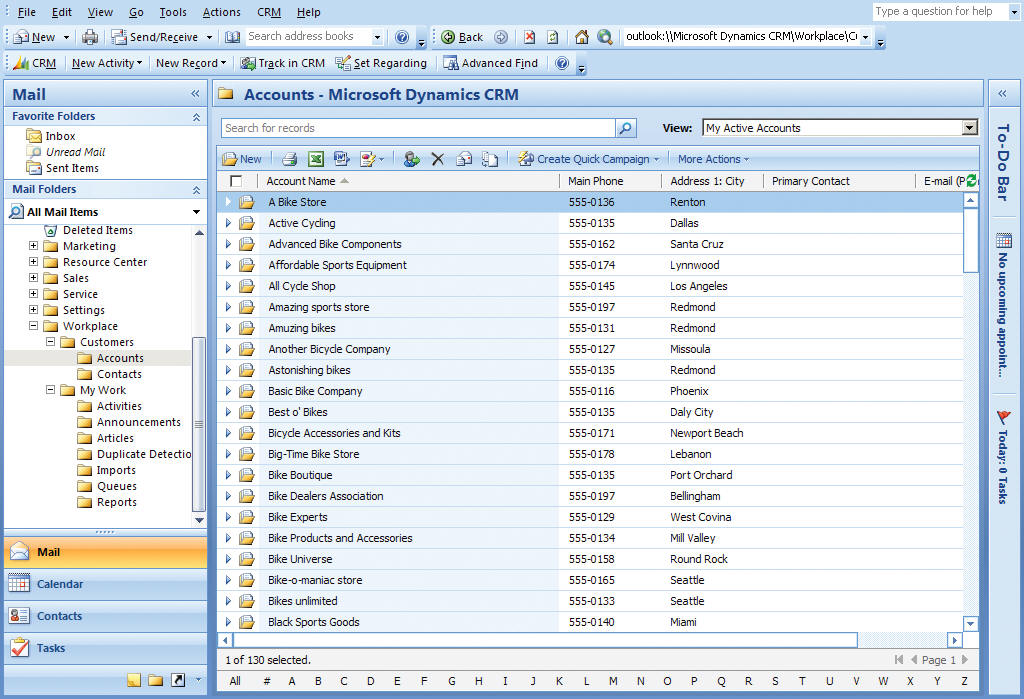
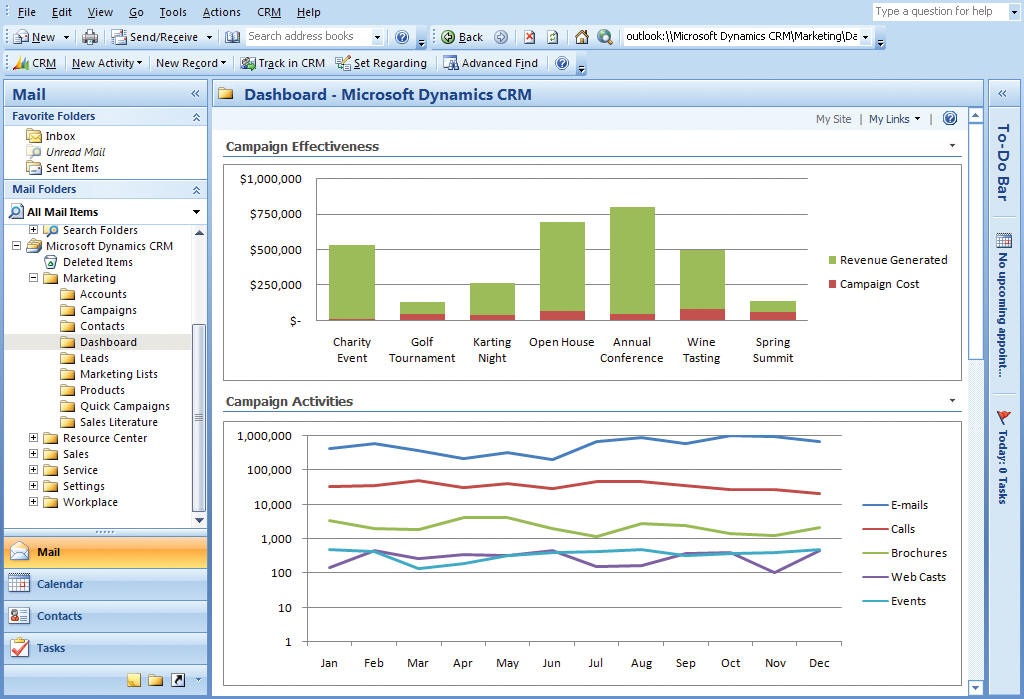
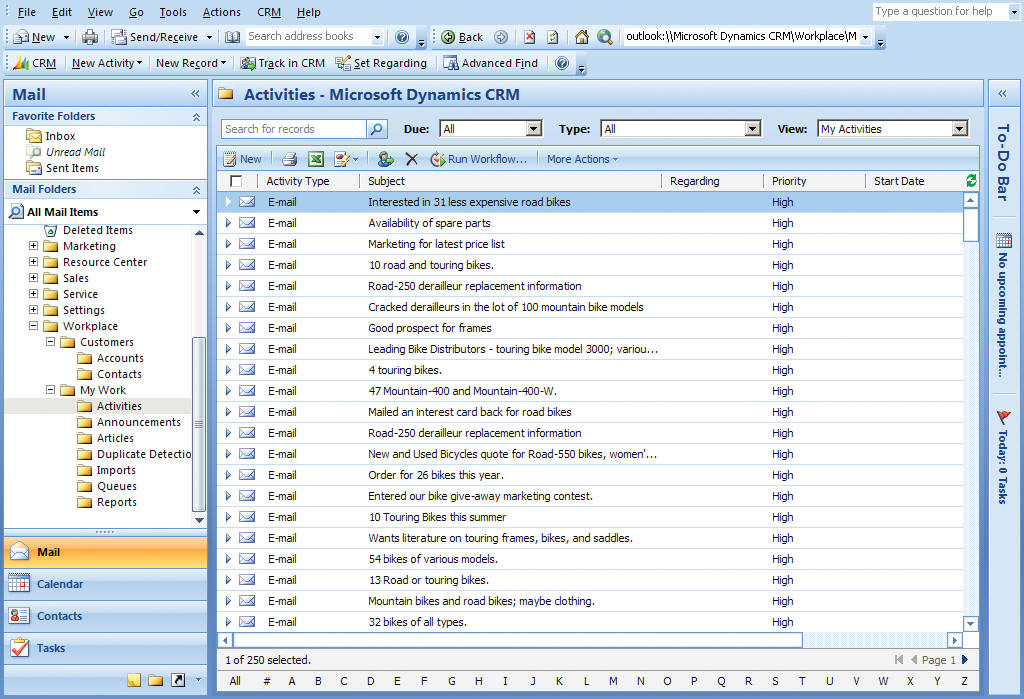
Carry out marketing, sales, and customer service activities in the intuitive Office Outlook environment. A combined Microsoft Dynamics CRM and Office Outlook user experience helps to improve user adoption by providing a familiar and flexible user interface, helping to minimize resource and training investments. Together, Office Outlook and Microsoft Dynamics CRM deliver a role-based user experience to end users so they can focus on their work. Everything people need to do their work is in one place, reducing the need to switch between applications. Users can customize and automate their interface based on their own preferences and work style.
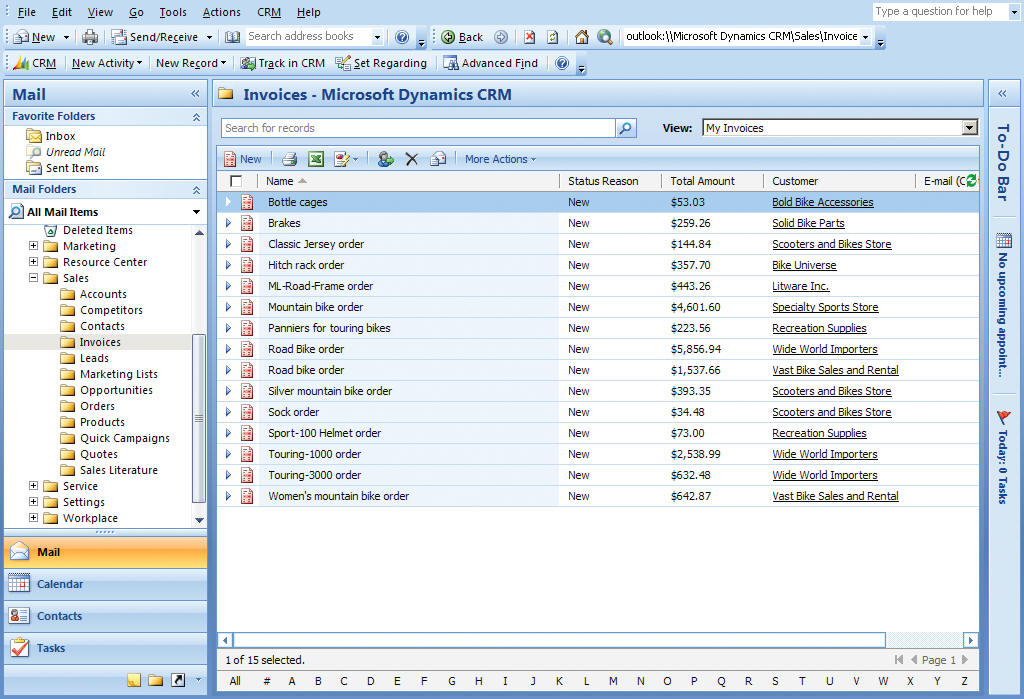
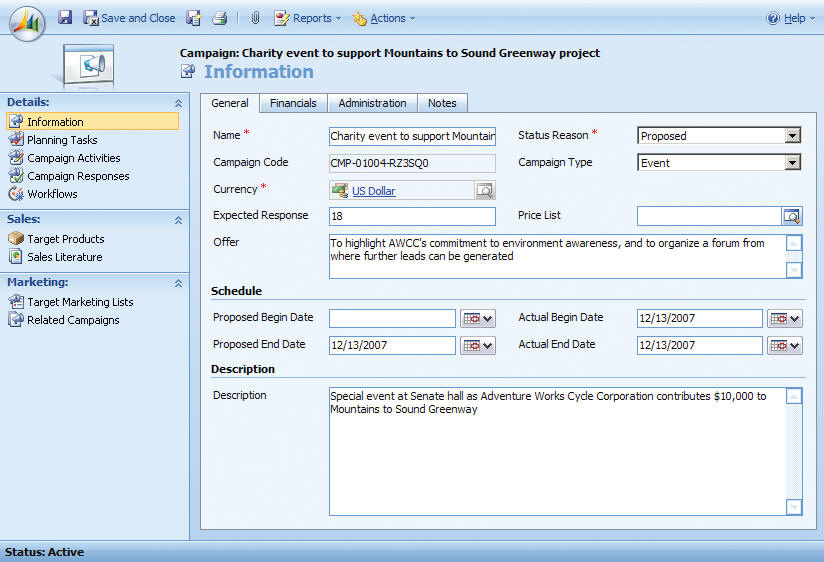
Information pertinent to an account, such as invoices, can be linked and tracked through the highly intuitive and user friendly Microsoft Dynamics CRM system.
Visualize CRM Data with Microsoft Office Excel
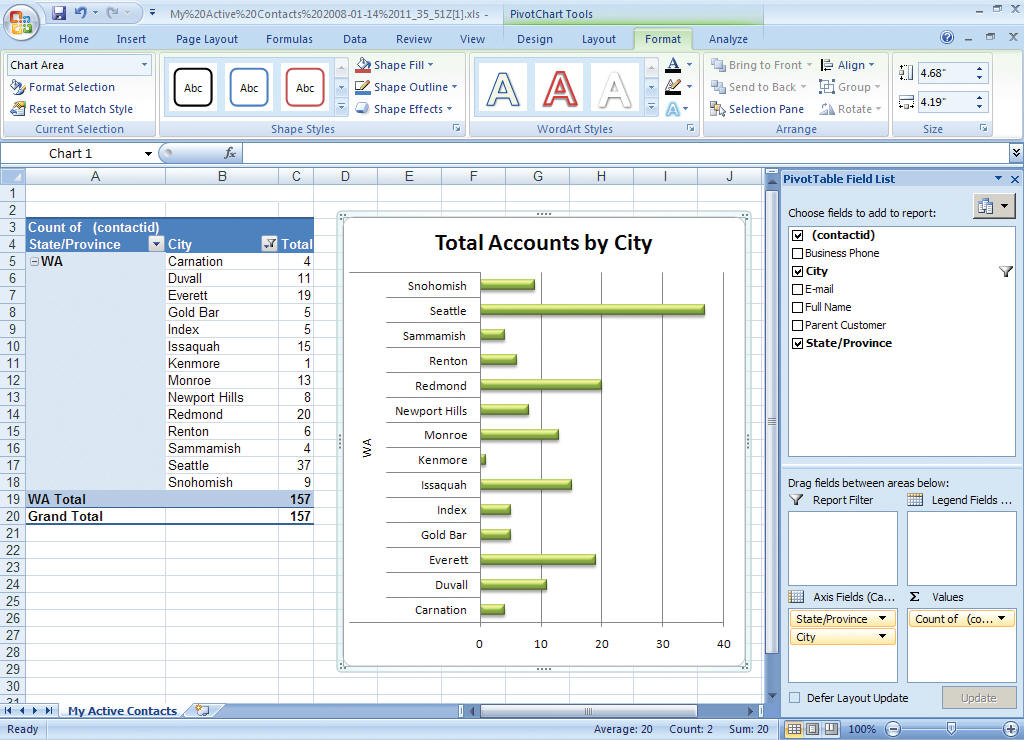
Add, visualize, and modify CRM data directly in Microsoft Office Excel®. Microsoft Dynamics CRM makes it easy for users to analyze and manipulate customer data using tables and formulas. Excel helps users quickly create professional-looking reports and financial sales forecasts based on customer purchasing trends, product performance, and other CRM data. Synchronizing data between Excel and Microsoft Dynamics CRM is quick and simple, helping people stay up to date with tools they already use.
Microsoft Dynamics CRM data dynamically links to Excel to seamlessly create professional-looking and actionable reports.
Create Communications with Microsoft Office Word
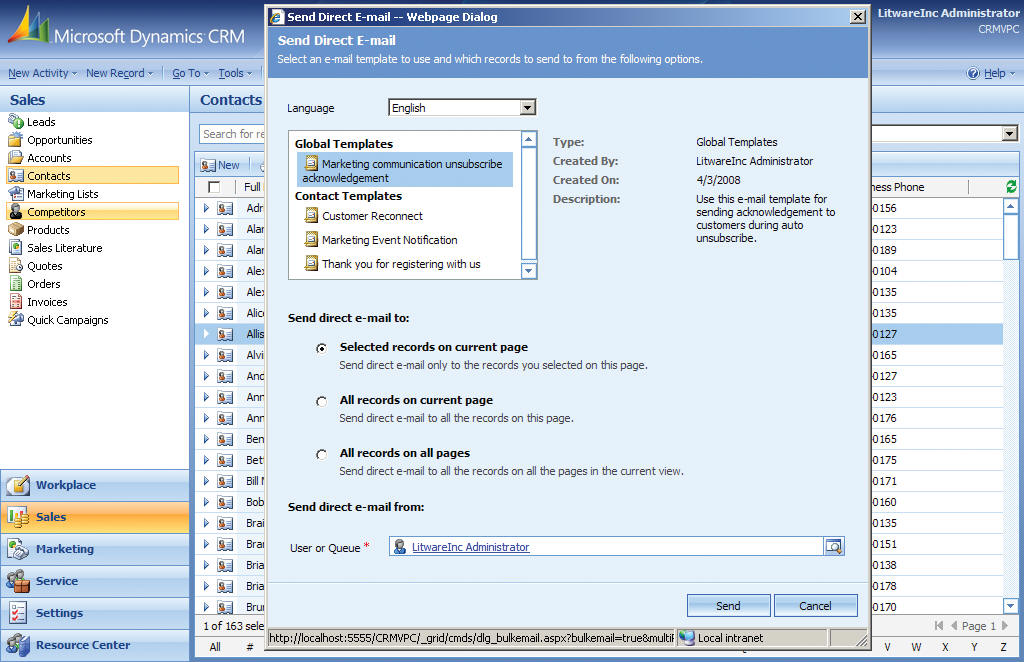
Raise customer awareness, support sales efforts, or provide service updates with compelling, consist-ent communications created using Microsoft Office Word. Reusable templates reduce effort and make it easy to maintain consistent branding and quality standards. Web-based access to tools and templates enable people to work anywhere so they can be productive when travelling or working from home.
Reusable templates assure consistent communications across process, campaigns, and account activities.
Share Information through Microsoft Office SharePoint Server
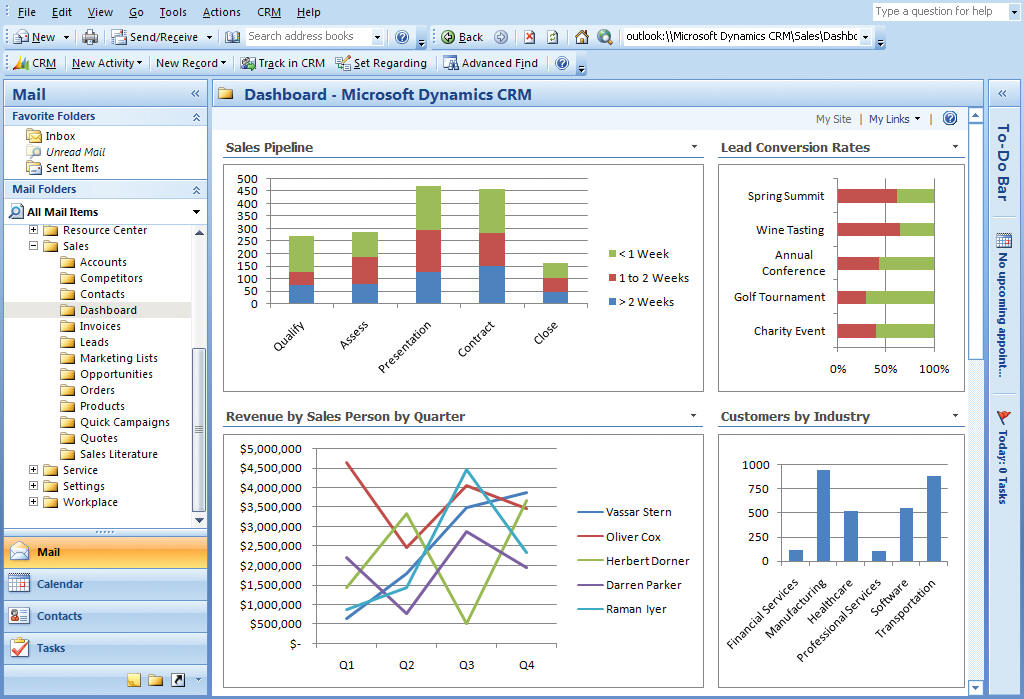
Share CRM data with customers, partners, and distributors and enable them to submit requests, track status, view information, and see results through Microsoft Office SharePoint® Server. SharePoint Server can also be used internally to store and share business documents and CRM data. SharePoint also helps you to create and visualize reports and data through Web-based dashboards and shared workflow.
View Microsoft Dynamics CRM data in a Microsoft Office SharePoint dashboard.
Communicate in Real Time with Microsoft Office Communications Server
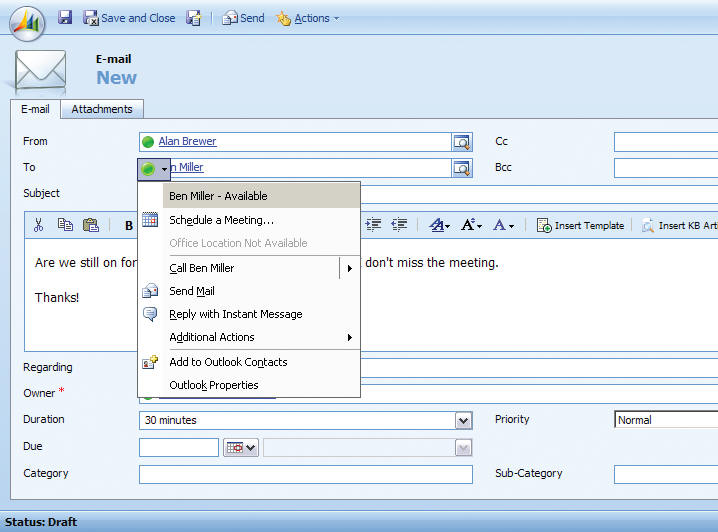
Use Microsoft Office Communications Server to improve real-time communications among Microsoft Dynamics CRM users. Allow users to see who’s online or offline, free, or busy and launch an instant messaging session without leaving their Microsoft Dynamics CRM interface, making it easy for teams to work together quickly in the same office or in different geo-graphical regions.
Integrating Microsoft Dynamics CRM and Microsoft Office Communications server makes it easy for teams to be responsive without having to toggle between applications.
Get More from Your Desktop with Microsoft Windows Vista
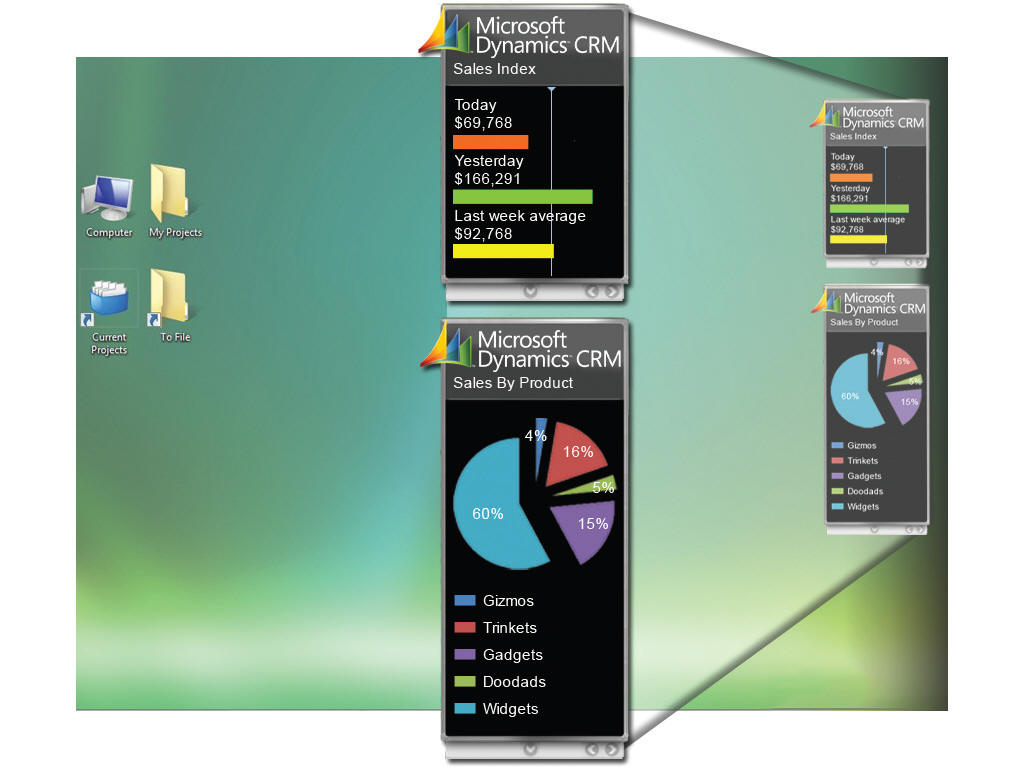
Quickly build gadgets for the Windows Vista® operating system to pull vital Microsoft Dynamics CRM marketing, sales, and service information directly to your desktop, giving your people fast access to data, lists, and functionality that are relevant to their roles. For example, gadgets can provide fast desktop visibility into ongoing marketing campaigns, new sales, or call center performance, providing easy access to your most important information.
Windows Vista adds new depths of visibility into Microsoft Dynamics CRM data via ‘gadget’ creation and utilization.
View Performance through Microsoft PerformancePoint Server
Provide dashboard visibility into the performance of your marketing, sales, or customer service organizations with Microsoft PerformancePoint Server business intelligence software. Quickly create dashboards that expose valuable data from Microsoft Dynamics CRM, such as campaign performance, new customers, or first-call resolution metrics. Or combine data from CRM and other business systems to measure performance across business areas.
Microsoft PerformancePoint Server provides a seamless experience using Microsoft Dynamics CRM data to monitor, track, and analyze organizational performance.
Organize and Unify Communications with Microsoft Exchange Server
Synchronize and store all of your CRM activities, including e-mail, letters, tasks, and phone calls so you can better organize your communications. Microsoft Exchange Server can provide unified storage for all CRM activity types so that users can achieve a complete view of their customer interactions and work more productively. The ability to view activities related to a particular account, customer, or case, helps users stay up to date and see the relevance of their communications at a glance.
Use Microsoft Exchange Server with Microsoft Dynamics CRM to track and manage all communication channels, including e-mails, letters, facsimile, tasks, and telephone calls.
Integrate Systems with Microsoft BizTalk Server
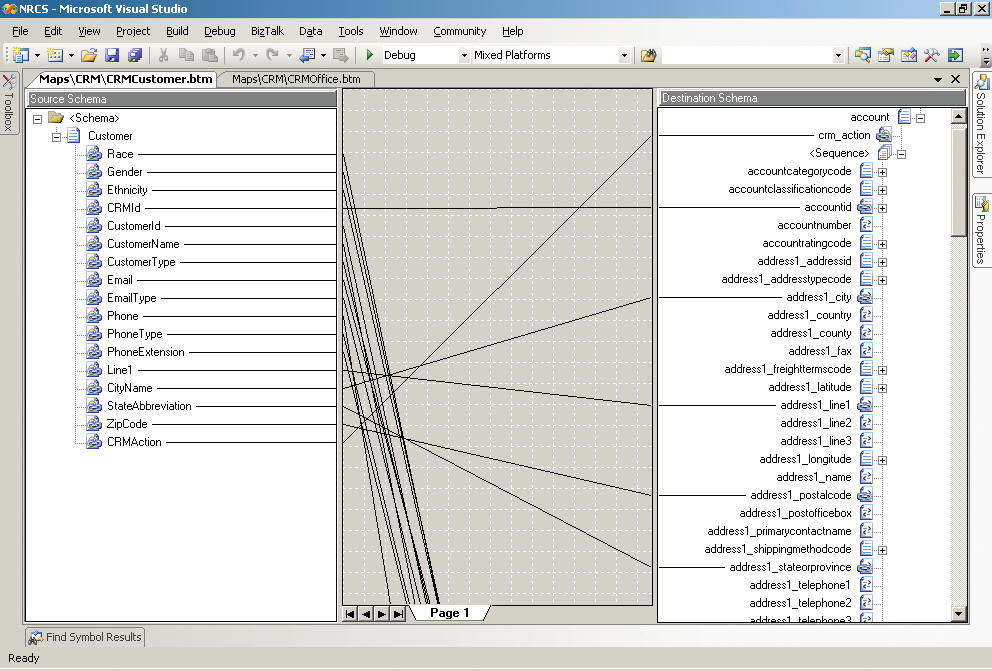
Organizations that are using Microsoft BizTalk® Server for large integration projects can incorporate Microsoft Dynamics CRM into their solution with the Microsoft BizTalk Server Adapter. With simplified integration, the BizTalk Server Adapter helps unify CRM data with other business-critical information, so you can use all of your business data more effectively to get more value from your technology investment.
Microsoft BizTalk Server integrates with Microsoft Dynamics CRM to enable integration with other enterprise systems and data.
Innovate and Develop with Microsoft Visual Studio
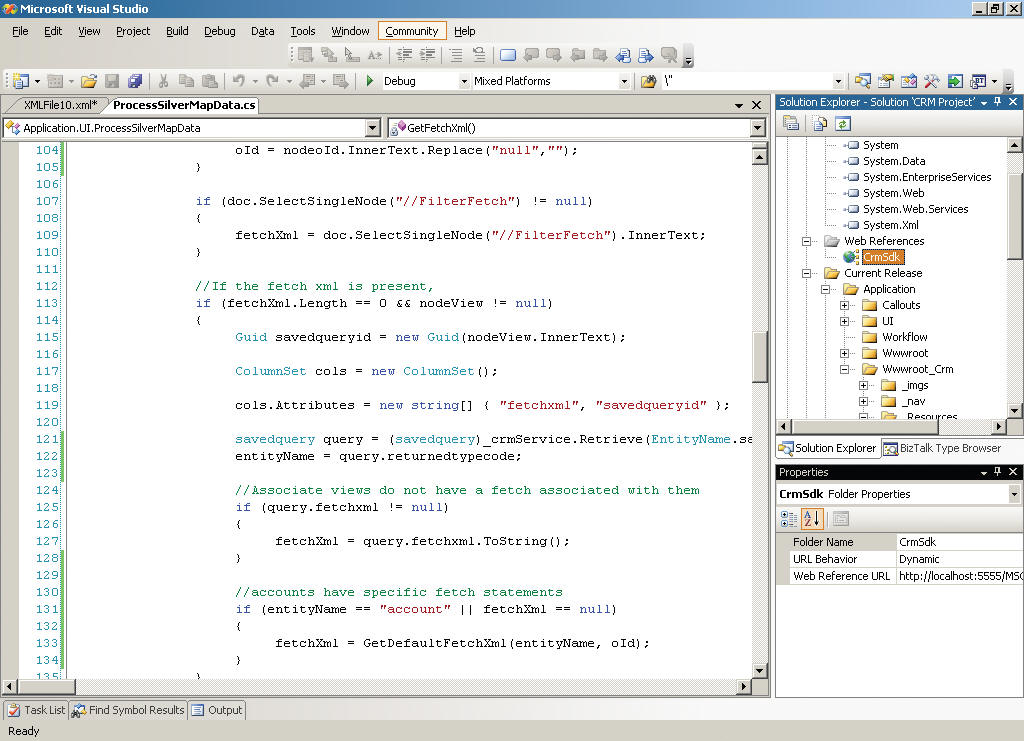
Call upon the large community of .NET developers who regularly use Visual Studio when you customize and extend your Microsoft Dynamics CRM solution. Microsoft Visual Studio® dev-elopment system provides seamless access to the Microsoft Dynamics CRM application programming interface (API) and to the Web service architecture underlying the application, enabling programmers to efficiently extend the CRM application to meet the needs of your organization
Customize Microsoft Dynamics CRM components with Visual Studio.
Take advantage of these core Microsoft Dynamics CRM technologies to enrich your user and customer experiences.
Create Flexible Processes with Microsoft Windows Work flow Foundation
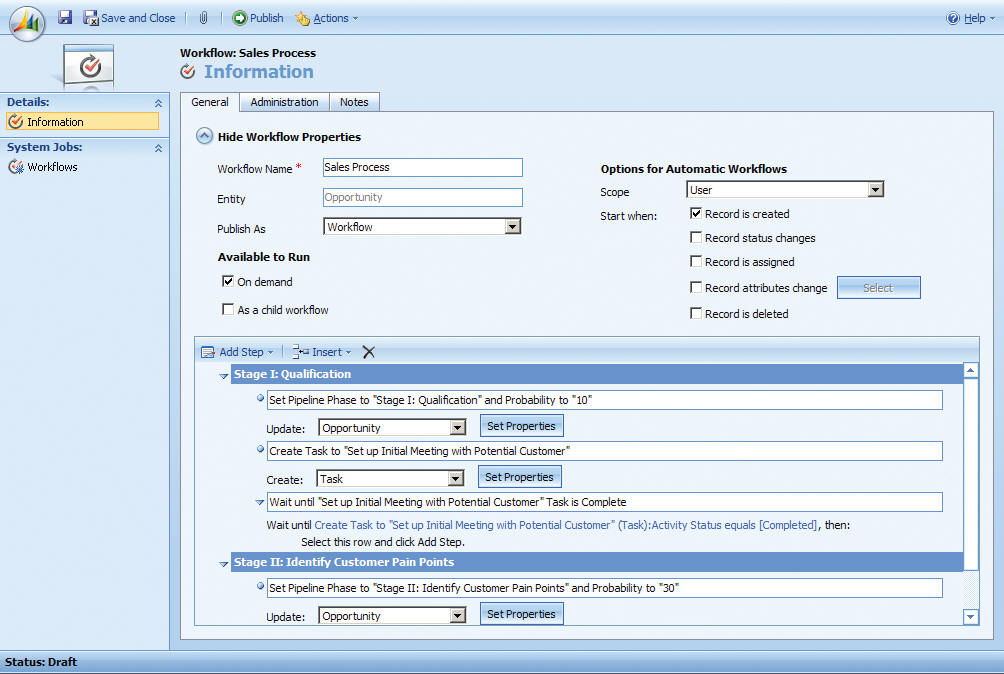
Promote consistency in your business with workflow tools to support discrete services and business processes within individual business units or across the organization. Microsoft Dynamics CRM uses the Microsoft Windows® Workflow Foundation, making it easier to extend the reach of your CRM data across line-of-business systems, such as document management or enterprise resource planning.
Microsoft Dynamics CRM workflow is built upon Windows Workflow Foundation, making it easy to quickly build workflow enabled applications,
Build Reports Quickly with Microsoft SQL Server Reporting Services
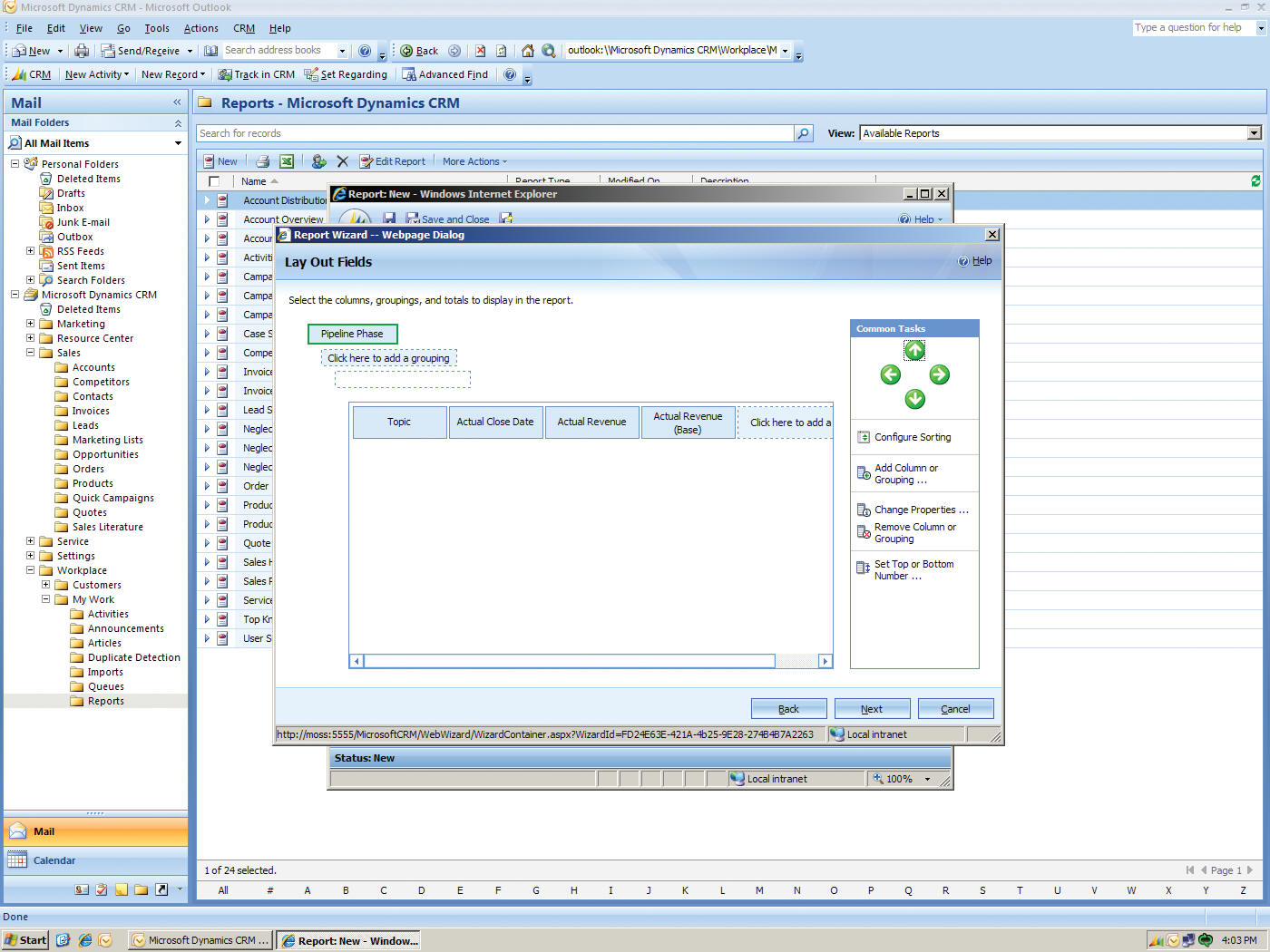
Access the CRM information you need when you need it with Microsoft SQL Server® Reporting Services. Wizard-based reporting tools empower end users to quickly create their own reports based on Microsoft Dynamics CRM data, such as channel performance, sales forecasts, and customer satisfaction. Staff and man-agers can also use centralized financial dashboards to view business progress and identify follow-up actions to help protect and increase profit margins.
Combine Microsoft SQL Server Reporting Services and its wizard-based reporting tools with Microsoft Dynamics CRM to build highly visual and interactive reports.
Analyze Results with Microsoft SQL Server Analysis Services
Understand where your business is going with deep CRM analytics based on Microsoft SQL Server Analysis Services. Uncover sales trends, segment your customers, target resources to areas of highest return, and mitigate risks with technologies that help you unlock the potential of your Microsoft Dynamics CRM data.
Access analytical tools in SQL Server Analysis Services and combine it with CRM data to provide visibility into sales trends, churn rates, and specific rhythm of business scenarios.
Manage Data Confidently with Microsoft SQL Server
Help your organization minimize data risk by leveraging the broad capabilities of Microsoft SQL Server. By leveraging Microsoft SQL Server, Microsoft Dynamics CRM is able to provide organizations with a world-class data platform that delivers high availability, scalability, security features, manageability and interoperability. Microsoft SQL Server supports corporate mandates to control costs without sacrificing application availability, security, or reliability.
Leverage Existing Resources and Investments
Because Microsoft Dynamics CRM uses standards-based Microsoft tools and technology, you can take advantage of your existing IT investments and in-house expertise to help minimize your total cost of ownership. Additionally, the broad global usage of Microsoft technologies ensures that there is a large pool of skilled resources available to your organization.
|
|||
|
Copyright 2002-2011 RB Data Services Links Customer Relationship Management (CRM) Certified Consultants - Microsoft Dynamics CRM. Salesforce.com and GoldMine Software
|